Why Your Marketing Campaigns Are Stuck in PDF Purgatory (And How to Finally Break Free)

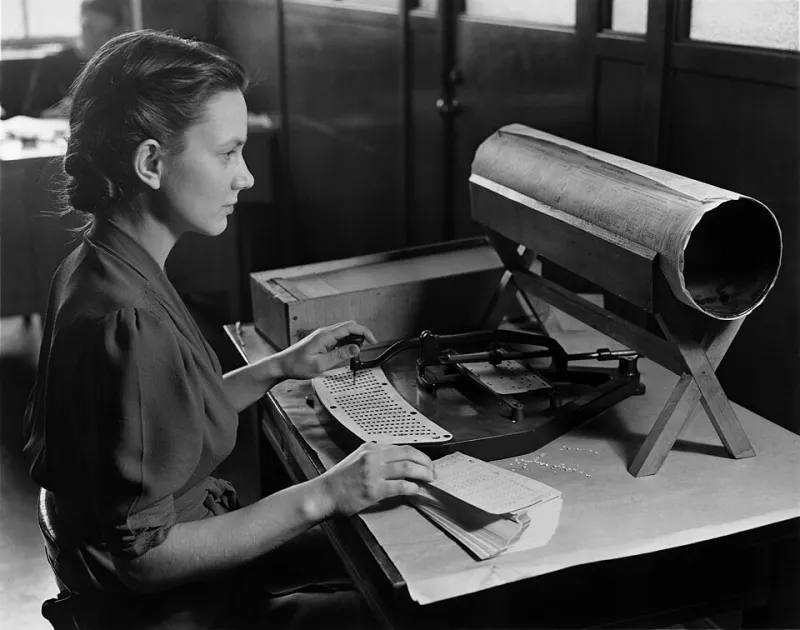
Photo: Support Startup, CC BY-SA 4.0, via Wikimedia Commons
You've got a campaign ready to launch. The copy is sharp, the visuals are on-brand, and the team is genuinely excited. Then someone asks for a PDF of everything for final sign-off — and suddenly you're watching two weeks disappear into a black hole of email chains, mismatched file versions, and feedback buried in the wrong document.
Sound familiar? You're not alone. Across marketing departments big and small, PDF workflows have quietly become one of the biggest drags on creative output. And most teams don't even realize it's happening until they're already behind.
The Hidden Time Tax on Every Campaign
Let's put some numbers on this. According to research from McKinsey, knowledge workers spend nearly 20% of their workweek just searching for and consolidating information. For marketing teams — where every campaign involves a stack of assets, briefs, legal disclaimers, and brand guidelines — that percentage skews even higher.
Here's what a typical campaign approval cycle looks like in practice: a designer exports a 40-page PDF containing everything from mood boards to final ad copy. That file goes to the creative director, who marks it up and sends it back. Then it goes to legal, who requests a version with only the copy pages. Then to the CMO, who wants just the executive summary. By the time everyone has weighed in, your team has generated six different versions of the same document, and nobody's entirely sure which one is current.
Marketing ops leaders put it bluntly: the document itself isn't the problem. The problem is treating one massive PDF like a one-size-fits-all solution when different stakeholders need different slices of information.
Why "Just Send the Whole PDF" Is Killing Your Timeline
The instinct to bundle everything into a single file feels efficient. In reality, it creates friction at every step of the approval chain.
When a legal reviewer has to scroll through 35 pages of creative concepts to find the three pages of ad copy they actually need to approve, one of two things happens: they either skip sections they shouldn't, or they slow down the whole process while they dig. Neither outcome is great when you're racing a campaign deadline.
The same problem shows up on the other end. When feedback comes back as comments on a 40-page document, your creative team has to parse through notes that apply to totally different sections — design feedback mixed with copy edits mixed with legal flags — before they can even figure out what to act on first.
This is what marketing ops professionals sometimes call the "mega-PDF trap": the assumption that bigger, more comprehensive files equal better communication. They don't. They just create more surface area for confusion.
A Smarter Way to Structure Creative Reviews
The fix isn't complicated, but it does require a small shift in how your team thinks about document distribution.
Instead of sending one monolithic PDF to every stakeholder, break the approval process into targeted document packages. Here's a simple framework that works for most marketing teams:
Step 1: Split by stakeholder need. Before you send anything out for review, split your master PDF into logical sections. Creative concepts go to the creative director. Legal copy goes to compliance. Budget breakdowns go to finance. Each reviewer gets exactly what they need — nothing more.
Step 2: Establish a single source of truth. Keep your master document intact and version-controlled. Every split file should be generated from that master, so when changes come back, you're always working from the same foundation. This eliminates the "which version is current?" problem almost entirely.
Step 3: Collect and merge feedback systematically. Once individual reviewers return their annotated sections, merge them back into a consolidated feedback document before your team sits down to revise. This gives your creative team one clean document to work from instead of five separate email attachments.
Step 4: Use a final merge as your approval checkpoint. When revisions are complete, merge all updated sections back into the master PDF and circulate that final version for sign-off. One document, one round of approvals, one source of record.
The Compounding Cost of Getting This Wrong
Here's what makes this worth fixing urgently: PDF workflow inefficiency doesn't just slow down one campaign — it compounds across your entire marketing calendar.
If your approval process takes three weeks when it should take one, and you're running six major campaigns a year, that's roughly four months of cumulative delay. Four months of campaigns sitting idle while documents bounce around inboxes. Four months of your creative team in holding patterns instead of building the next thing.
For smaller teams, the impact is even more pronounced. When you've got two designers and a marketing manager wearing five hats each, every hour spent chasing document approvals is an hour not spent on work that actually moves the needle.
Marketing ops leaders who've restructured their PDF workflows consistently report the same outcome: faster approvals, fewer revision cycles, and — maybe most importantly — less frustration from stakeholders who used to dread the review process.
Tools Make a Difference, But Process Comes First
It's worth being honest here: no tool fixes a broken process. If your approval workflow is fundamentally unclear — wrong stakeholders, unclear feedback expectations, no version control — better PDF management will only partially help.
But once your process is solid, having the right tools to split, merge, and organize documents efficiently makes a real, measurable difference. Being able to extract specific pages in seconds, combine feedback documents without reformatting everything, and maintain clean file naming across a campaign's lifecycle — these aren't glamorous capabilities, but they're the ones that keep campaigns moving.
The goal isn't to turn your marketing team into document management experts. It's to get PDFs out of the way so your team can focus on what they're actually good at: making great work.
Start Small, Then Scale
If your team is deep in the mega-PDF trap right now, don't try to overhaul everything at once. Pick one upcoming campaign and run it through the split-and-merge framework above. Track how long the approval cycle takes compared to your last few campaigns.
Chances are, you'll see a difference fast enough that the rest of the team gets on board without much convincing. And once you've broken out of PDF purgatory on one project, going back to the old way will feel pretty unthinkable.
Your campaigns are too good to die in a document queue. Time to get them moving.