Stop Printing That PDF: The Real Numbers Behind Splitting vs. Paper in 2024
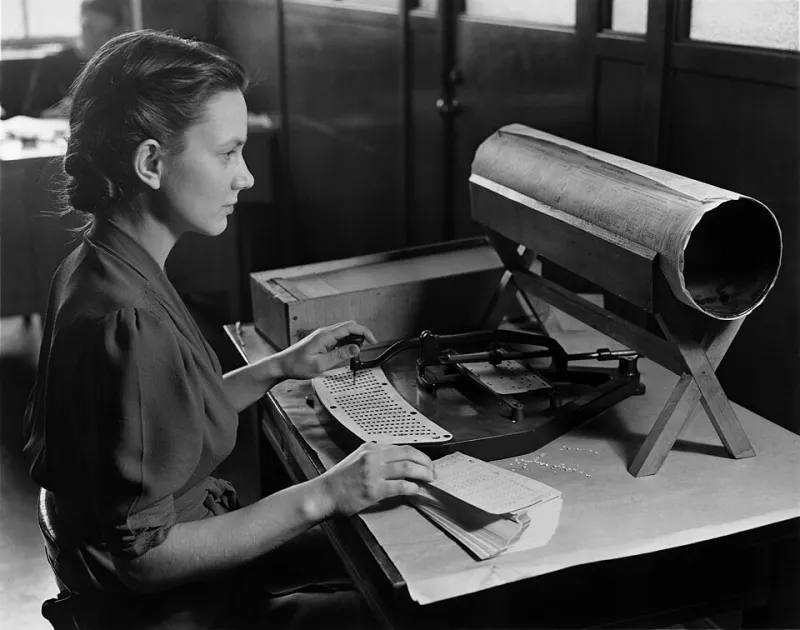
Photo: Unknown authorUnknown author or not provided, Public domain, via Wikimedia Commons
Let's be honest: a lot of American businesses are still printing documents they don't need to print. Not because it's the best option—but because it's the habit. Someone receives a 40-page PDF, needs pages 12 through 19, and hits print without thinking twice. Then those seven pages sit on a desk, get scanned back in, and the cycle continues.
In 2024, that habit has a price tag. And it's higher than most managers realize.
This isn't a lecture about going paperless for the environment (though that argument holds up too). This is about cold, hard ROI—and why intelligent PDF splitting is quietly becoming one of the most underrated cost-saving moves a business can make.
What Printing Actually Costs Per Employee
Here's where most companies underestimate the damage. The average U.S. office worker prints around 10,000 pages per year, according to data from the Environmental Protection Agency. At a typical cost of roughly $0.05 to $0.13 per page when you factor in paper, ink or toner, and printer maintenance, that's anywhere from $500 to $1,300 per employee annually—just in direct printing costs.
For a company with 50 employees, you're looking at $25,000 to $65,000 a year. For 200 employees? That math gets uncomfortable fast.
And that's before you account for the indirect costs: the time spent at the printer, the time spent organizing printed documents, the time spent scanning things back in, and the time spent trying to find a printed page that's been buried under three other stacks of paper.
Now compare that to what it costs to split a PDF.
The Case for Splitting: What the Numbers Actually Show
When someone needs only a specific section of a document, PDF splitting is the obvious alternative to printing the whole thing. Instead of producing a physical artifact that degrades, gets lost, and can't be searched, you produce a clean digital file that can be shared instantly, stored securely, and found in seconds.
The time savings alone are significant. Splitting a PDF with a modern tool takes under a minute. Printing, collating, and distributing the same pages? Depending on your office setup, you're looking at five to fifteen minutes per document—and that's assuming the printer isn't jammed.
For teams that distribute documents regularly—think training materials, onboarding packets, client reports, or meeting handouts—the cumulative difference is massive. A team that handles twenty document distributions per week and saves ten minutes per distribution is recovering more than three hours of productive time every week. That's over 150 hours annually. Per team.
The Hidden Workflow Tax on Paper-Dependent Offices
Here's what doesn't show up on any expense report: the cognitive load of managing paper-based document workflows.
When documents exist only in physical form, version control becomes a nightmare. There's no easy way to update a printed handout, no way to revoke access to a document once it's been printed and distributed, and no way to search the contents of a stack of papers without physically reading through them.
PDF-based workflows solve all of this. A well-split PDF can be updated at the source, shared via a link with controlled permissions, and searched in seconds. For remote and hybrid teams—which now represent a significant portion of the American workforce—paper isn't just inefficient, it's functionally impossible. You can't hand someone a printed document over Zoom.
The shift to distributed work has made PDF literacy a genuine competitive advantage. Teams that have mastered splitting, merging, and organizing their documents move faster, communicate more clearly, and spend less time on document logistics.
When Printing Still Makes Sense (And When It Doesn't)
Fair is fair: there are scenarios where printing genuinely wins. Legal documents requiring wet signatures, physical contracts for in-person signings, or materials for presentations in environments without screens—these are legitimate use cases for print.
But here's the thing: those scenarios represent maybe 15 to 20 percent of the documents most offices actually print. The other 80 percent? Internal reports, meeting agendas, reference materials, training documents—all of these are being printed out of habit, not necessity.
The test is simple: ask yourself whether the person receiving this document actually needs a physical copy, or whether they just need access to the information. If it's the latter, a well-organized PDF split to show only the relevant section is almost always the better move.
Environmental Impact: The Argument You Didn't Expect to Care About
Okay, we said this wasn't going to be an environmental lecture, but give us sixty seconds.
American offices use roughly 12.1 trillion sheets of paper per year. The production of that paper is energy-intensive, water-intensive, and contributes meaningfully to carbon emissions. For companies with ESG commitments—or companies that are starting to think about ESG because their enterprise clients are asking about it—document workflow optimization is a genuinely meaningful lever.
Reducing unnecessary printing isn't just good for the planet. It's increasingly good for business relationships with clients and partners who care about sustainability metrics. And unlike some sustainability initiatives that require significant capital investment, switching from print to PDF splitting costs essentially nothing.
Making the Switch: Practical Steps for 2024
If your team is still defaulting to print for documents that don't require it, here's how to start shifting that behavior without making it feel like a mandate from on high:
Audit your most-printed document types. Which documents does your team print most frequently? Training materials? Client reports? Meeting agendas? Start there. These are your highest-leverage targets for switching to digital distribution.
Make PDF splitting faster than printing. If using a digital tool requires more steps than hitting Ctrl+P, people won't use it. AltoSplitPDF is designed to make splitting and sharing document sections genuinely faster than the print alternative—which means adoption happens naturally rather than through enforcement.
Set a default-digital policy for internal documents. External-facing materials might still need print options, but internal documents almost never do. A simple policy that internal distribution defaults to PDF can cut your print volume significantly with minimal friction.
Track the savings. If you want behavior to change, show people the impact. A simple monthly tally of pages not printed—and the dollar equivalent—does more to reinforce the habit than any memo about going green.
The Bottom Line
The comparison isn't really close. For the vast majority of business document workflows in 2024, intelligent PDF splitting is faster, cheaper, more secure, and more flexible than printing. The only thing keeping paper-based workflows alive in most offices is inertia.
Breaking that inertia doesn't require a big initiative or a new policy. It just requires making the better option easier to choose—and then actually choosing it.